Keystone · The platform

The control center for your revenue engine.

Keystone is where your team finds leads, keeps every follow-up on schedule, and turns one idea into posts for each platform, drafted in your voice.

Contact us

Pricing

Every plan includes your own dedicated database and the Keystone Platform. Pick the one that fits how much you run through it.

Growth

Solo founders and creators running their own growth

$99/month

Try it now
Video clipping
Up to 15 hours of video a month, up to 2 hours per video
People
1 person
Storage add-on
1 TB for $79 a month
Lead finder
Up to 25 local businesses a day, on a map
Leads/mo*
Up to 10,000
Posts drafted/mo
Up to 5,000
Social profiles
Instagram, Facebook, LinkedIn profiles, X, Threads, and YouTube
Ecosystem

Agencies running content for their clients

$899/month

Try it now
Video clipping
Up to 150 hours of video a month, up to 5 hours per video
People
Up to 5 people, with permissions for each
Managed storage
1 TB included (25 GB during the trial), set up the day you start
Lead finder
Up to 250 local businesses a day, on a map
Leads/mo*
Up to 50,000
Posts drafted/mo
Unlimited
Social profiles
Instagram, Facebook, LinkedIn profiles and company pages, X, Threads, YouTube, and TikTok

* Leads/mo is the total number of leads you can import into Keystone and export from it in a month: up to 50,000 each way on Acquisition OS and Ecosystem, and up to 10,000 on Growth.

  • Add-on

    Managed storage

    $79/month

    1 TB of private storage for your organization's files and clips, kept apart from every other organization's. Downloads are free. Add it to Growth or Acquisition OS once your plan has started. It's included with Ecosystem, with 25 GB during the trial.

  • Every plan begins with a trial. A card is required to start. Nothing is charged until you start your plan. You can remove your card at any time. You can cancel by email (contact@pureeprofit.com), phone ((901) 206-3610) or in Keystone. The trial includes 100 leads, 25 posts drafted, one video clipped (up to 30 minutes), and 10 premium lead searches.
  • When part of the trial is used up, that feature pauses until you start your plan; everything else keeps working. The trial ends when everything is used, or after 30 days. Your workspace and its data are kept.
  • Start your plan in Keystone whenever you are ready. You confirm it with a code sent to your phone, then on a secure payment page, where your card is charged the plan's price, then monthly. If you cancel within 48 hours of a payment, that payment is refunded in full.
  • To start, choose a plan and sign in with the email address you will use for Keystone, then add your card at checkout. Your workspace belongs to that address.
  • AI runs on your own model keys (Claude, OpenAI, Gemini, or OpenRouter), so AI usage is billed by your provider, not by us.

Enterprise

Custom AI

Need more than a plan? Our team designs and builds AI infrastructure around your business: your own database and agents, your choice of models, and the security and cloud work that goes with them.

Every build is scoped with you first. Tell us what you run today and what you want it to do.

Custom AI Infrastructure & Software →

  • Your own database

    Each client organization's data is kept in its own database, not a shared one.

  • Your choice of AI

    Use Claude, OpenAI, Gemini, or OpenRouter with your own keys, so you choose the model and pay your provider directly.

  • Security built in

    Every sign-in needs an authenticator code and a passkey; the keys you save are kept encrypted.

  • Cloud deployment and cybersecurity

    Our team designs, deploys, and secures the cloud systems your business runs on.

Messages and posts, approved by the right person.

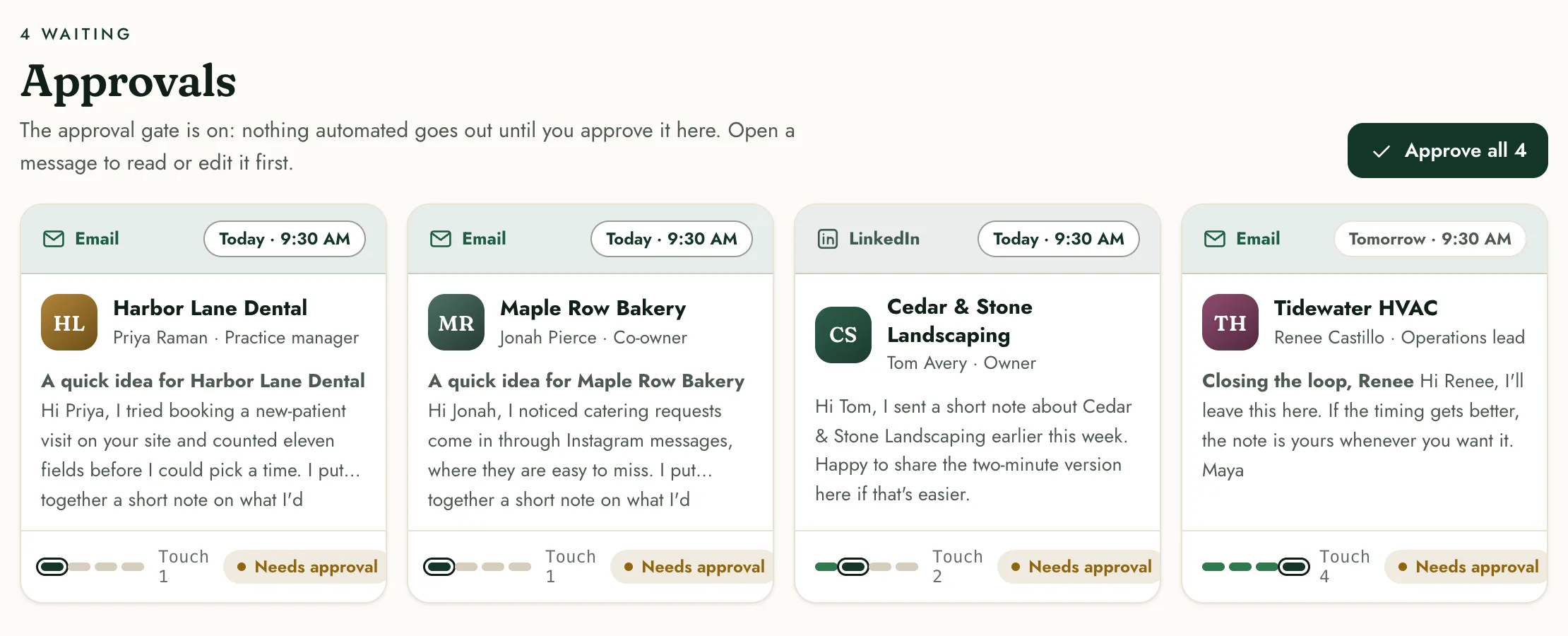
By default, outreach messages and drafted posts wait in Keystone until the right person approves them: an owner, a manager, or a member with permission. Then your team sends or posts each one.

Learn more →
The Approvals screen: four outreach messages, each marked "Needs approval", with an "Approve all" button.
Approvals in Keystone today. Sample data.

One idea, drafted for each platform.

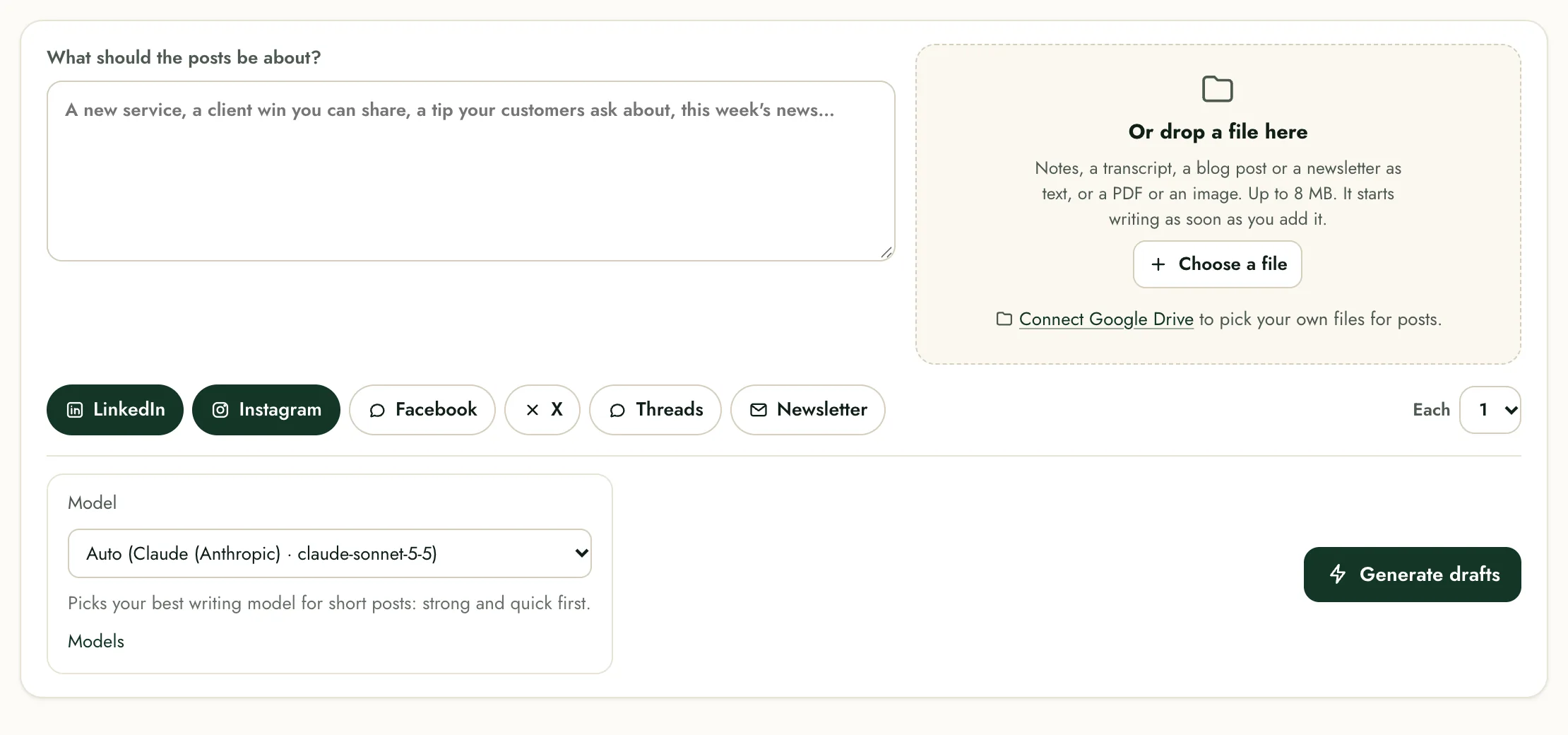
Drafts for LinkedIn, Instagram, Facebook, X, Threads, and newsletters, written in your voice by your own AI model from an idea or a file.

Learn more →
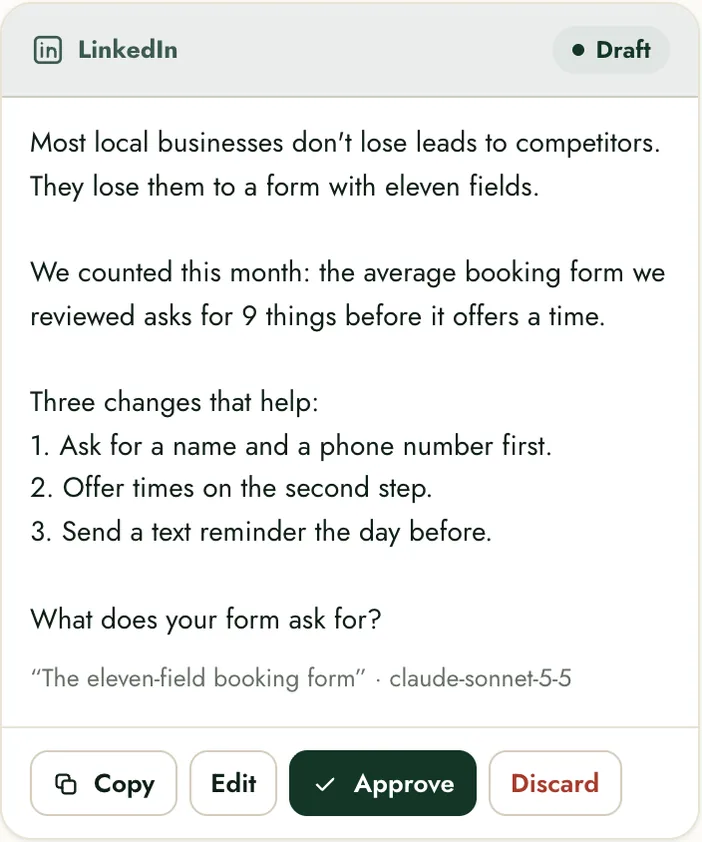
The Content Studio: a box for an idea, a place to drop a file, a choice of platforms, and a "Generate drafts" button.A drafted LinkedIn post with Copy, Edit, Approve, and Discard buttons.
The Content Studio and one of its drafts in Keystone today. You approve each draft, then post it. Sample data.

Content and outreach on one calendar.

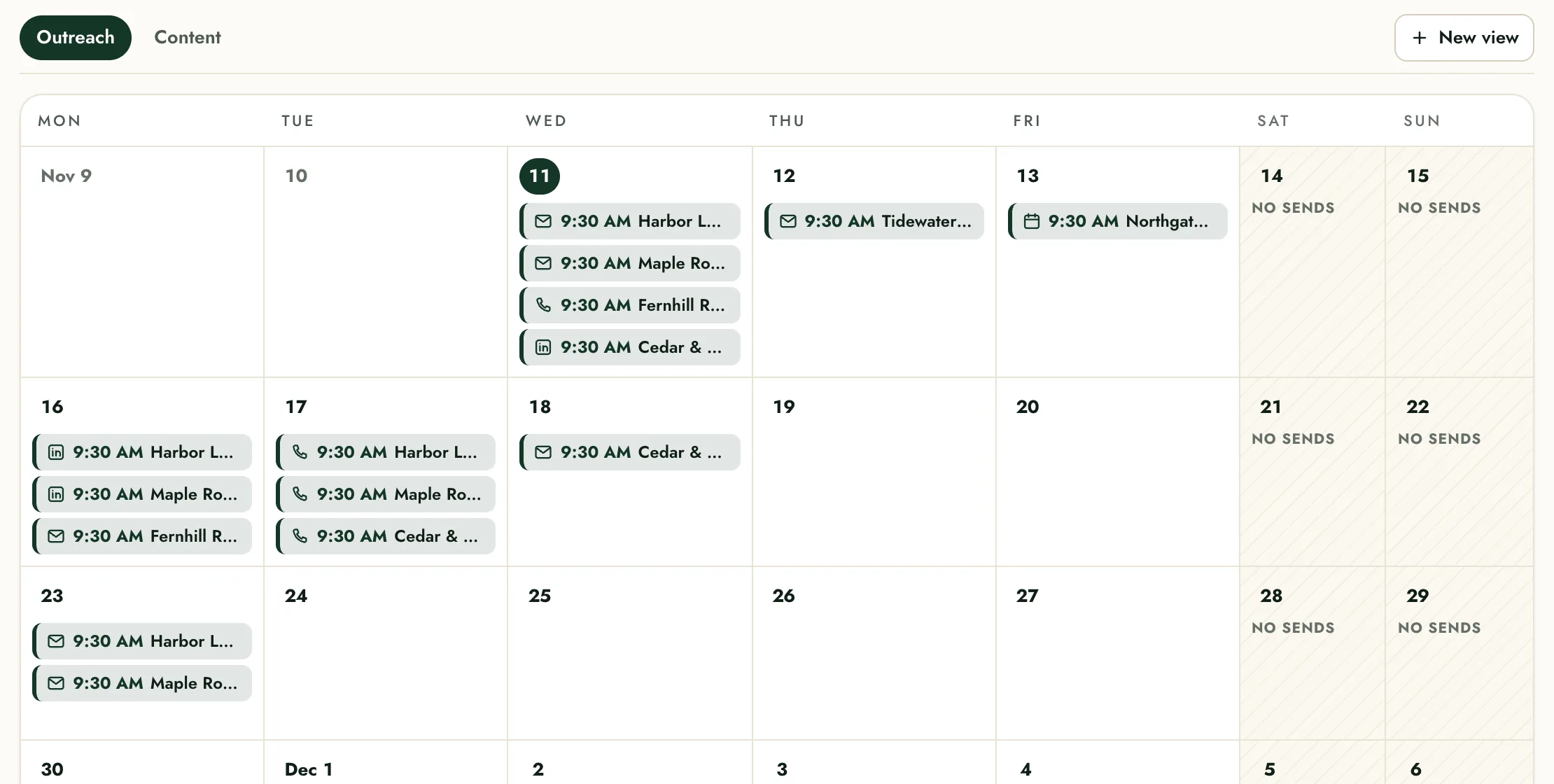
See every outreach touch and planned post by day, in the Outreach and Content views or in views your team sets up. Drag an item to another day to reschedule it.

Learn more →
The Calendar: emails, LinkedIn messages, and calls on their workdays, with Outreach and Content views and weekends marked "No sends".
The Calendar in Keystone today. Sample data.

More in Keystone

Team permissions

Choose what each person on your team can do: leads, the lead finder, outreach, content, clips, storage, connections, settings, and exports.

Pipeline and outreach

Every lead on one board by stage, added by hand or imported from a spreadsheet or a database, with a record of each lead's consent. Start one of your own sequences for any lead, with as many touchpoints as you need, scheduled on your workdays and tracked as your team sends each touch.

Local lead finder

Find local businesses by what they do and where, see them on a map, and add the ones you pick. The daily limit depends on your plan.

CRM sync and alerts

Every stage change goes to your CRM, and your team is alerted when a lead is moved to Replied, Meeting booked, or Won.

Your own database

Each client organization's data is kept in its own database, and the keys you save are kept encrypted.

Video clipping

Turn a long video from your own files or your managed storage into vertical clips, 20 to 60 seconds each, with captions burned in. Your own AI model picks the moments, Keystone cuts them, and each clip comes with a draft post to review. Clips are saved in a Clips folder, one folder for each video.

Exports

Download your leads and your posts as spreadsheets at any time.